App Store · iPhone · iOS 18+
Realistic AI video and photo, from one selfie.
Turn any photo into a cinematic video or an ultra-realistic portrait. Shot-on-iPhone quality, 100+ styles, results in seconds.
Rated 4.8 on the App Store · Free to start · No account to try
01 · Features
Realistic AI, built for iPhone.
Every result looks like it was shot on a phone: natural lighting, real skin texture, real environments. No plastic faces, no fake glow.
01
AI video generation
Turn a single photo into a cinematic clip: warrior transformations, anime reels, bullet time, cakeify. Powered by Google Veo 3.1 and Kling 2.6.
02
Ultra-realistic AI photos
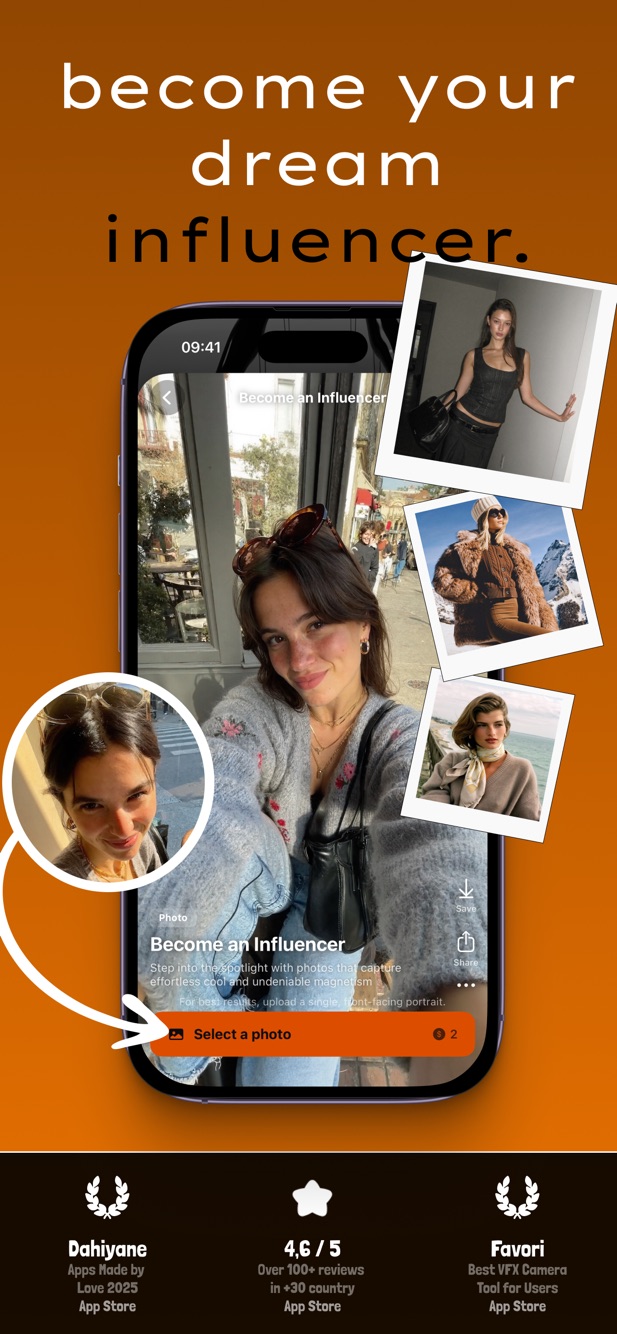
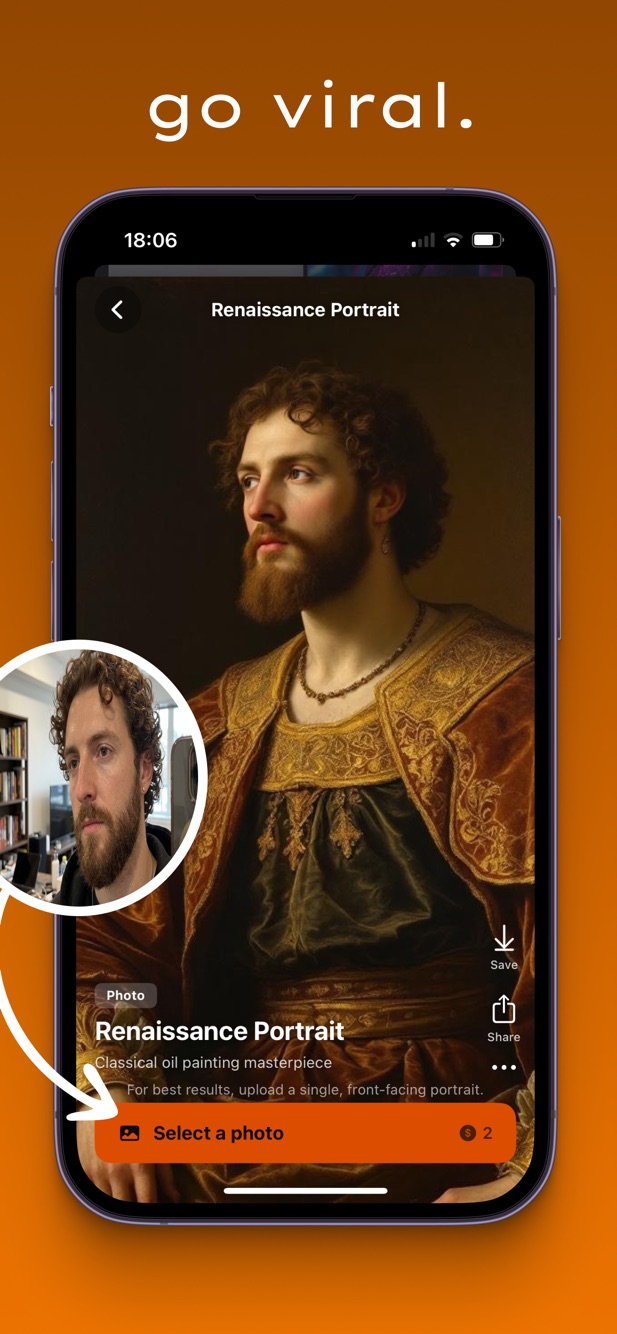
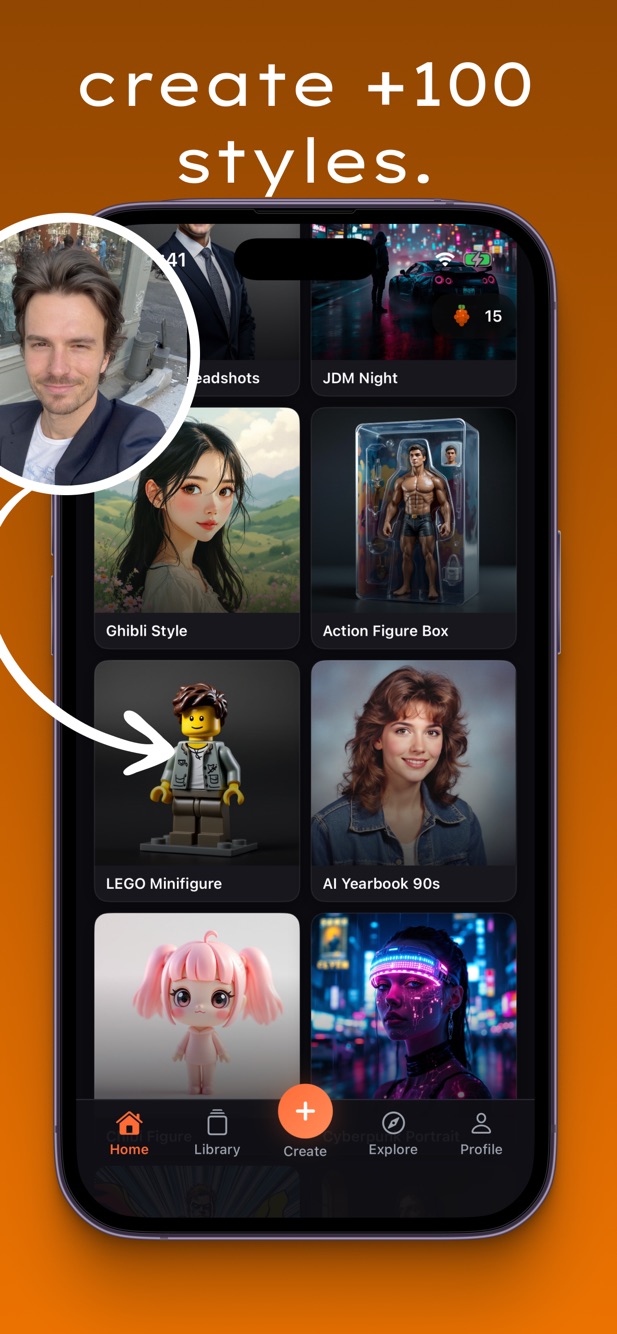
Corporate headshots, Ghibli portraits, JDM night scenes, Renaissance paintings, action-figure boxes, 90s yearbook. Pores, natural light, believable skin.
03
Realistic face swap
Swap faces in photos and videos with matched lighting, a natural skin blend and the expression intact. No uncanny valley.
04
Pro photo tools
Upscale to 4K, remove backgrounds in one tap, restore old photos with real detail recovery.
05
100+ styles, weekly drops
LEGO minifigure, Ghibli, Pixar-style, Indian Goddess, Slavic Vibes, Super Saiyan. New realistic styles added every week.
06
Fast and private
Results in seconds. Photos are not stored or used for training. Generate, download, share to TikTok, Instagram or Snapchat from one place.
02 · How it works
Three steps. Realistic results every time.
Step 1
Upload a photo
Pick any selfie or photo from your library. Portraits with good lighting give the most realistic results.
Step 2
Pick a style
Browse 100+ realistic styles: headshots, anime, Renaissance, action figure, 90s yearbook, cinematic video transformations.
Step 3
Generate and share
The latest models (Veo 3.1, Kling 2.6, Flux Pro) produce the result in seconds. Share straight to social.
03 · Questions
Frequently asked.
How realistic are VidBerry's AI results?
VidBerry is built for realism. We use the latest models (Google Veo 3.1, Kling 2.6, Flux Pro) with prompts tuned for realistic skin texture, natural pores, proper lighting and believable environments. Output quality matches iPhone-shot photography, with no plastic faces and no AI artifacts.
Is VidBerry free to use?
VidBerry is free to download. New users get free credits to try the app. Additional credits can be purchased, or subscribe for unlimited access with weekly, monthly or yearly plans.
How does AI video generation from a photo work?
Upload a photo and select a video style. Our models (Google Veo 3.1 for text-to-video, Kling 2.6 for image-to-video) analyse your photo and generate a short cinematic video with the selected transformation. Processing typically takes 30 to 90 seconds.
What happens to my photos?
Your photos are transmitted over HTTPS to our AI processing partners for generation only. They are not stored permanently, shared or used for model training. You can delete your data at any time from app settings. See our privacy policy.
Can I use the generated content commercially?
Yes. Content you generate with VidBerry is yours to use for personal or commercial purposes: social media, marketing, creative projects.
Which devices are supported?
VidBerry runs on iPhone with iOS 18 or later. iPad is supported. An Android version is planned.
How do I cancel my subscription?
Manage or cancel anytime in iPhone Settings, Apple ID, Subscriptions, VidBerry. Access continues until the end of the current billing period.
Which AI models does VidBerry use?
Google Veo 3.1 for text-to-video, Kling 2.6 for image-to-video, Flux Pro for photo generation, Clarity Upscaler for 4K upscaling, CCSR for photo restoration, and specialised models for face swap and background removal. Models are updated regularly to the newest realistic versions.
04 · Guides
How to get the most realistic results.
Guide
AI video generator from photo: best free app for iPhone 2026
Complete guide to turning photos into realistic AI videos on iPhone. Models, styles, tips for best results.
Tutorial
How to turn photos into videos with AI, step by step
Upload, pick a style, generate a realistic AI video in under 90 seconds.
Comparison
Best AI face swap apps compared: realistic results ranked
VidBerry vs Videz vs Remini. Side-by-side realism test on face swap quality and natural lighting.
Style guide
Ghibli style AI photo generator: free iPhone app
Turn any selfie into a realistic Ghibli-style portrait. Prompt tips for the most authentic hand-drawn look.
Tutorial
AI headshots from a selfie: corporate photos in 60 seconds
Professional, realistic AI headshots from a single selfie. Lighting tips, pose selection, realism checklist.
Style guide
Renaissance portrait AI: turn your photo into an oil painting
Realistic brush strokes, period-accurate lighting, authentic texture.
Effect guide
Bullet time video effect: how to create it with AI
Matrix-style bullet time from a single photo. Realistic camera orbit, frozen action, cinematic result.
Trend
AI yearbook 90s trend: realistic retro portraits
The viral trend explained. How to get authentic grain, colour and lighting.
Download
Download VidBerry. Create realistic AI.
Free to start. No account required to try. 100+ realistic styles, new ones every week.